Choose a location
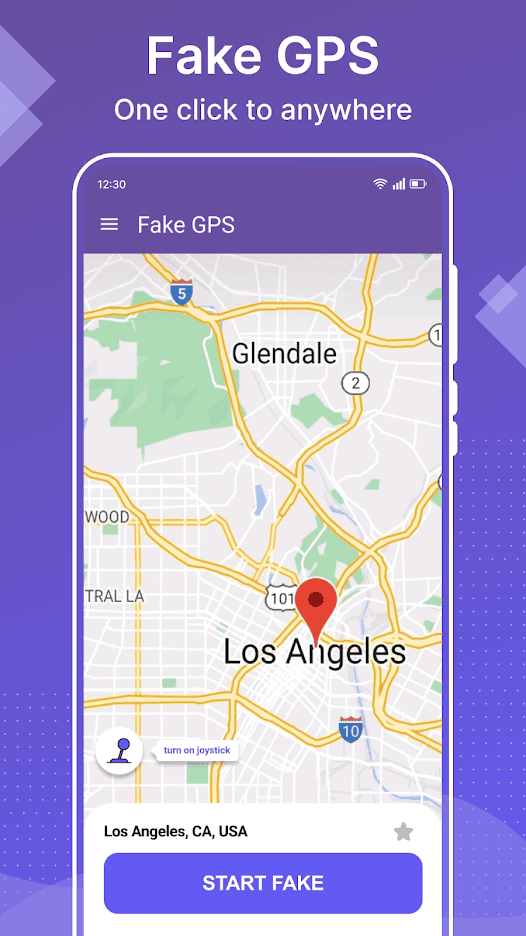
Move around the map, select the place you need, and start the mock location.

A controlled test location
Choose a mock location, save places you use often, and simulate movement with a floating joystick and selectable speeds.
What it does
Fake GPS uses Android's developer mock-location capability. It is useful when you need a repeatable location during development, testing, demonstrations, or another permitted personal scenario.
Move around the map, select the place you need, and start the mock location.
Control movement with a 360-degree joystick that can remain available over other apps.
Switch among walking, cycling, and driving speeds for different test scenarios.
Lock a direction for continuous movement instead of repeatedly adjusting the joystick.
Save locations you return to during testing so they are easier to select again.
No root is needed for the standard flow; Android Developer options provide the mock-app setting.
Setup
The exact labels can vary by Android version and device maker. Search your device settings for “Developer options” or “Select mock location app” if needed.
Open Android Settings, find the device build number, and follow your device maker's steps to enable Developer options.
In Developer options, open the mock-location setting and choose Fake GPS - Mock Location.
Return to Fake GPS, select a place, start the mock location, and use the joystick only when movement is needed.
Responsible use
The current Google Play data-safety disclosure states that no data is shared with third parties and that the app may collect app information, performance data, and device or other identifiers. Store disclosures may change with app versions.
Frequently asked
Setup, root access, movement, compatibility, advertising, and responsible use.
Enable Android Developer options, open the system's mock-location app setting, select Fake GPS - Mock Location, then return to the app and choose a location.
No root access is required for the standard setup. The app uses Android's developer mock-location setting.
Yes. The floating 360-degree joystick supports movement and lets you switch between walking, cycling, and driving speeds.
No. Some apps and services detect, restrict, or prohibit mock locations. Their terms and technical behavior control whether they work with a simulated location.
Yes. The Google Play listing identifies the app as containing ads and offering in-app purchases. Advertising requires an internet connection and may interrupt the free experience.
Use it for lawful purposes such as developing or testing location-aware software, demonstrations, or personal scenarios allowed by the services involved. Do not use it to deceive people, evade rules, or cause harm.
More from Life365